Streamline your freight brokerage with Just Tracking. Learn how to bulk post loads, view carrier offers via the eye icon, automate tracking, and access instant PODs.
If you work on a busy brokerage floor, your day usually starts with a screen full of open tenders, a phone that won't stop ringing, and three different carriers emailing you about rate confirmations all at once.
The hardest part of freight brokerage isn't just finding a truck—it's everything that happens before and after. It’s re-keying the same load details into three different boards, playing phone tag to negotiate a $50 counter-offer, and then calling a driver four times on a Friday afternoon just to figure out if they actually made it through the gate.
Here is how brokers are using Just Tracking to get loads covered faster, keep shippers happy with real-time updates, and stop chasing paperwork at the end of the day.
1. Getting Loads Posted Without the Data Entry Headaches
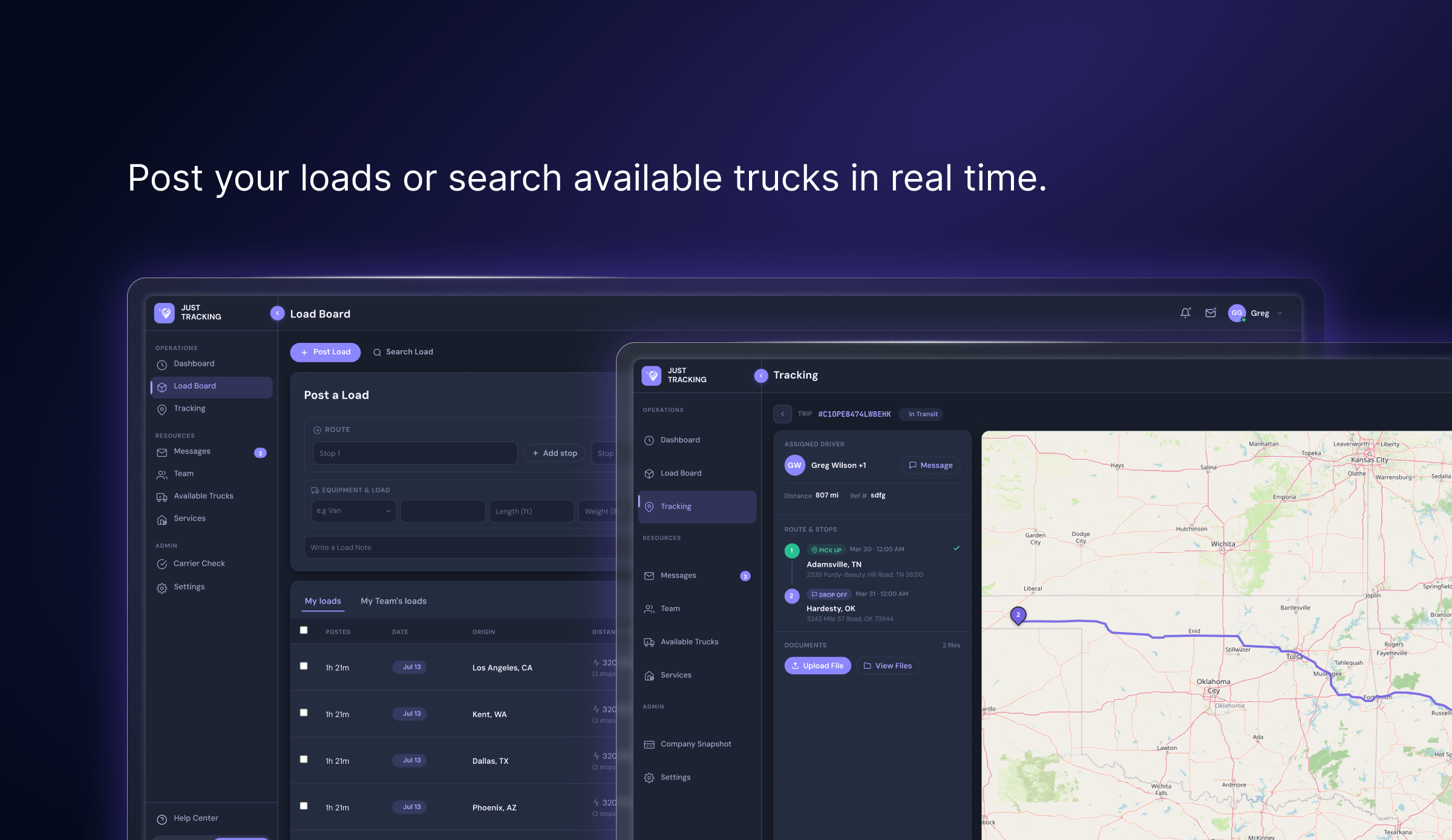
When a shipper drops a huge list of loads on your desk, typing each one out line-by-line takes forever. On the Load Board tab, you have a few ways to get your freight live depending on how your day looks:
- Single or Multi-Stop Routes: For standard runs, plug in your origin and destination. If a load has multiple drops or pickups, hit "+ Add stop" to build out the full route with accurate mileage in seconds.
- Bulk Upload for Big Tenders: When you have dozens of loads to post at once, skip the typing entirely. Click "Bulk Upload" in the top-right corner, drop in your spreadsheet, and import your entire load list in one quick shot.
- Granular Freight Specs: Specify equipment types (Van, Reefer, Flatbed, Power Only, Box Truck, and more), weight, length, pickup dates, and reference numbers. You can even toggle the "Verified Users" setting so only vetted, trustworthy operators can see and bid on your freight.

2. Seeing Every Inquiry in One Spot
Once your load is posted, it hits the main load board where carriers, owner-operators, and dispatchers browse for freight. But instead of cluttering your inbox with fragmented emails, Just Tracking keeps all engagement organized directly on the load itself.
Look at any posting in your My Loads or My Team’s Loads list, and you’ll spot a small eye icon next to the load actions:

Clicking that eye icon opens up a clean breakdown showing:
- Every user who clicked on and reviewed your load details.
- Any active rate offers or bids submitted by carriers and dispatchers.
From that exact list, you don't have to switch apps to close the deal. You can click to message them directly inside the platform, or grab their email and phone number to finalize the rate confirmation on the spot.
3. Hands-Off Tracking: Live Statuses and Automatic Updates
Getting a load booked is only half the battle—keeping your shipper updated without bugging the driver every two hours is the other half.
To track a shipment on Just Tracking, the carrier needs an active account or the driver needs the Just Tracking mobile app installed. Once that’s set, you have two simple ways to turn on visibility:
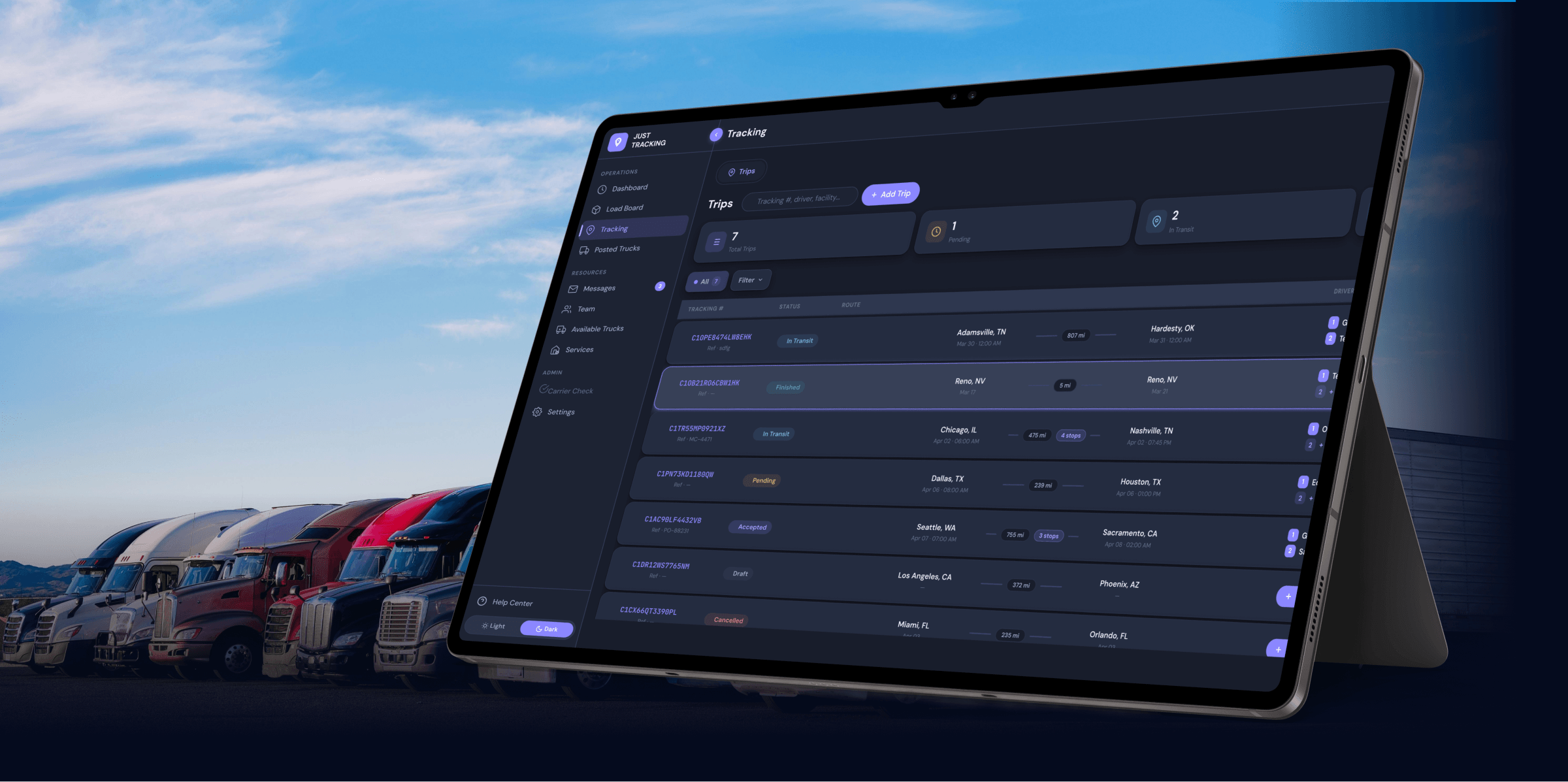
- Direct Driver Assignment: Create a trip inside your Tracking tab and assign the driver directly.
- Shared Tracking Link: Have the carrier send a live tracking link straight into your broker workspace.
Once the trip is live, you get 100% real-time visibility. The platform uses smart location triggers to automatically update the load status:
- When the truck hits the pickup facility, the system marks it as Picked Up.
- When the truck arrives at the receiver, it automatically flips to Delivered.

You don't have to manually check pings or place check-calls—the platform tracks progress in the background so you can focus on covering the next load.
4. Digital Paperwork: Instant Access to BOLs and PODs
We’ve all dealt with the Friday afternoon audit crunch: accounting is waiting to invoice a key shipper, but the carrier hasn't emailed the Proof of Delivery yet, and the driver is already off duty for the weekend.
Just Tracking solves this right at the loading dock:
- In-Cab Uploads: As soon as the cargo is unloaded and the paperwork is signed, the driver takes a picture of the BOL or POD inside the Just Tracking app.
- Instant Dashboard Access: The document instantly attaches to that trip record in your broker portal.
Your back-office team gets immediate access to clean, legible delivery records so you can bill your shipper right away and clear the carrier for payout—no faxing, no delayed emails, and no back-and-forth phone calls needed.